 VIESAC ADD-ON
EU- og internasjonal MVA-validering Bygget for Google Sheets og Google Workspace.
Valider EU VIES-, britiske HMRC-, Swiss UID- og Norway MVA-numre direkte i regneark. Bruk =VIESAC() eller lag en auditrapport med ett klikk.
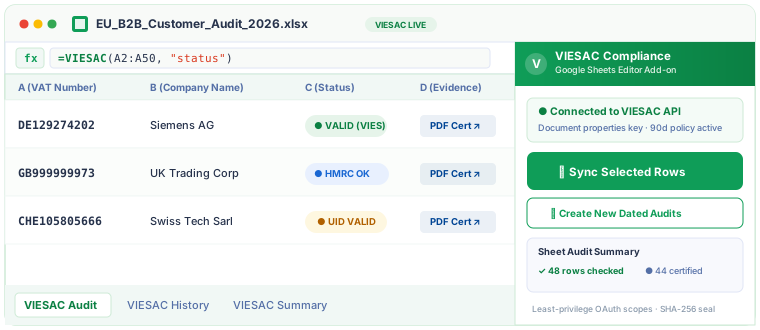
Støttede land og valideringskilder
VIESAC sender hvert VAT-nummer til riktig offisiell kilde og lagrer verifiseringsresultatet for dokumentasjonen din.
EU VIES
Østerrike · Belgia · Bulgaria · Kroatia · Kypros · Tsjekkia · Danmark · Estland · Finland · Frankrike · Tyskland · Hellas · Ungarn · Irland · Italia · Latvia · Litauen · Luxembourg · Malta · Nederland · Polen · Portugal · Romania · Slovakia · Slovenia · Spania · Sverige · Nord-Irland (XI)
HMRC VAT API
Storbritannia (GB)
Swiss UID Register
Sveits (CH)
Brønnøysundregistrene
Norge (NO)
Serbisk skatteetat
Serbia (RS · PIB)
GİB e-Fatura
Tyrkia (TR · VKN)
Australian Business Register (ABR)
Australia (AU · ABN)
Tydelige grenser for alle økonomiteam
Every subscription plan includes multi-registry validation, official consultation numbers, immutable SHA-256 certificate generation, and dedicated Sheets sidebar support.
Free
Starter
Pro
PopularBusiness
For regnskap, økonomi og drift
Switch between quick formula calculations and permanent compliance audit records without leaving your spreadsheet.
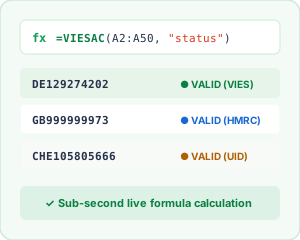
Custom =VIESAC() Formulas
Evaluate status, validity, or country in real-time with lightweight, quota-friendly custom functions.
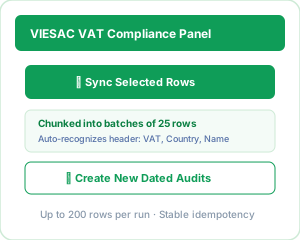
Dedicated Compliance Sidebar
1-click batch synchronization for selected rows, grouped into resilient 25-row batches with progress tracking.
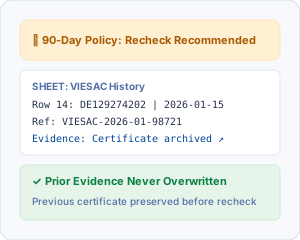
90-Day Policy & History Sheet
Automated recheck notifications that safely archive prior evidence before creating a new audit record.
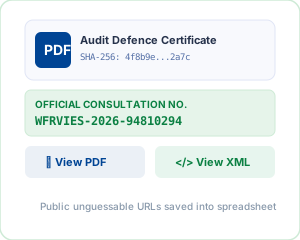
Tamper-Proof Audit Certificates
Public unguessable URLs for SHA-256 sealed PDF and XML audit certificates populated right into your sheet.
Actual Add-on Screenshots & Working Sheets
Real-time formula calculation, automatic column population, and official audit proof inside Google Sheets.
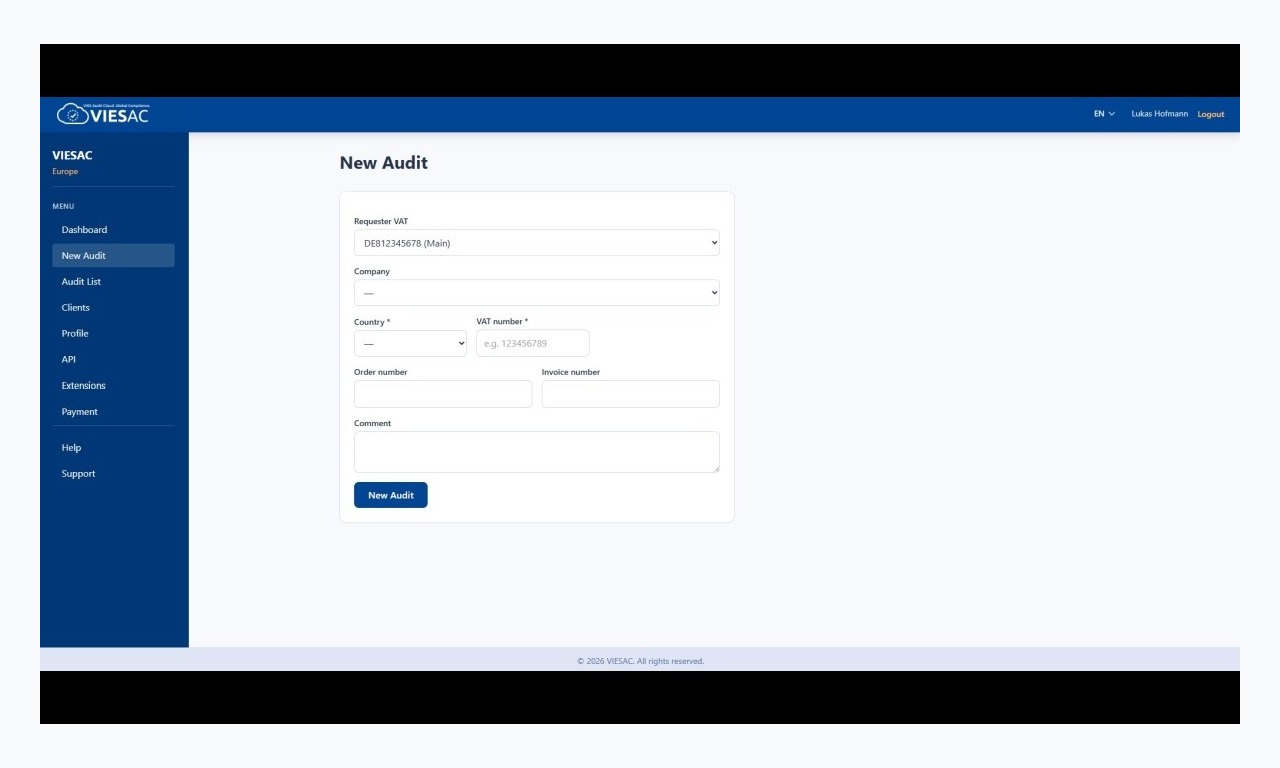
Live Spreadsheet Check
Status evaluation with real-time tax office responses.
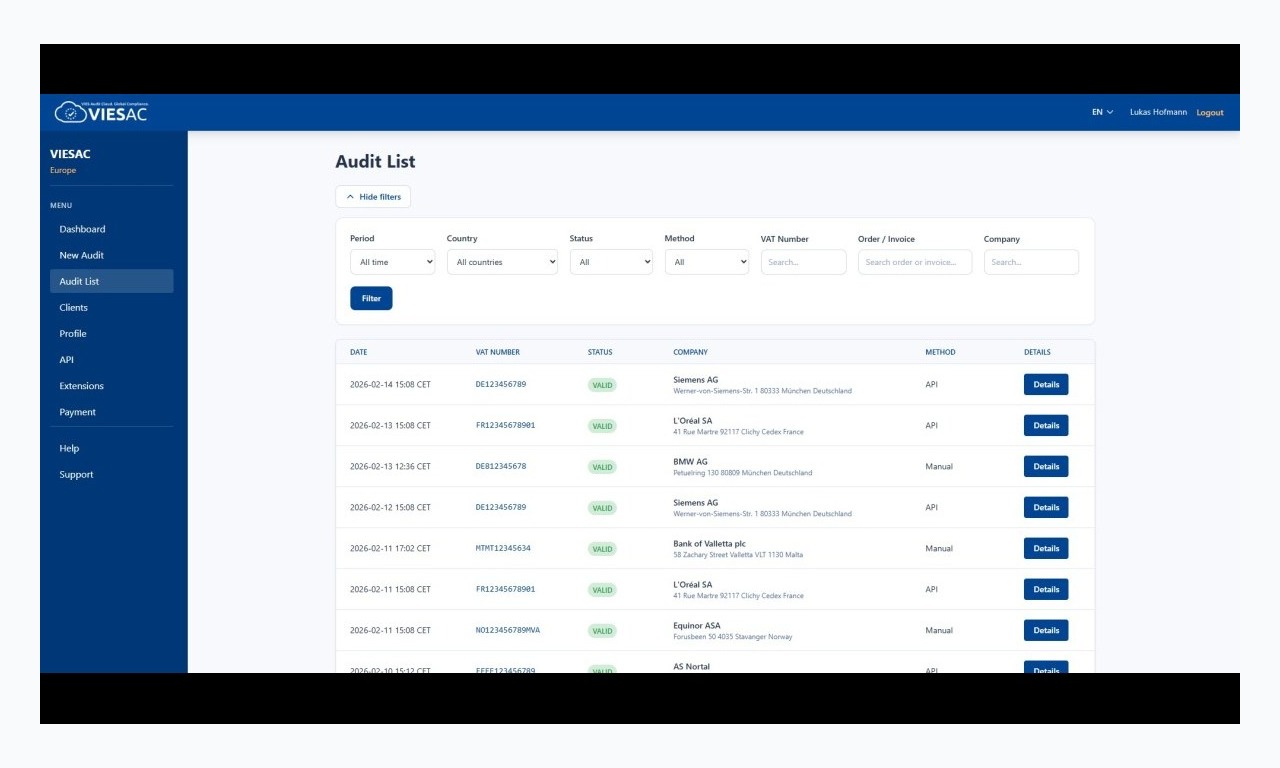
Immutable Compliance Audit Trail
Official references, company metadata, and certificate links.
Alt for avgiftskontroll i regnearket
Eliminate repetitive manual checks on ec.europa.eu, protect your 0% VAT deductions, and keep an airtight compliance paper trail.
Tilknytning til offentlige registre
Direct queries to all 27 EU VIES national databases, UK HMRC, Swiss Federal Statistical Office (UID), and Norway Brreg. Sub-second response times guarantee fast spreadsheet execution.
Lette egendefinerte formler
Use =VIESAC(A2:A50, "status") or =VIESAC_RATE("DE", "standard_rate") for on-the-fly verification that never consumes your immutable audit certificate quota.
Auditer i batch
Audit up to 200 selected rows per run. The sidebar automatically groups API requests into batches of 25 to respect Google Apps Script execution timeouts and rate limits.
Referanser og sertifikater
Every audit creation requests an official tax authority consultation number and generates a cryptographic SHA-256 sealed PDF certificate for tax audit defence.
90-dagers kontroll og historikk
Configurable age policy flags rows needing re-verification without overwriting past proof. Old certificate links are automatically preserved in the VIESAC History tab.
Tilgang for team
API keys are stored strictly in Apps Script Document Properties, never in cell contents. Uses least-privilege Google OAuth scopes limited to the current spreadsheet.
Veiledning til Google Sheets-formler
VIESAC provides two high-performance custom functions built specifically for Google Sheets syntax.
| Syntaks | Funksjon | Eksempel |
|---|---|---|
| =VIESAC(A2:A50, "status") | Returns validation status (VALID, INVALID, NOT_FOUND) for a range of VAT numbers. | VALID |
| =VIESAC(A2:A50, "valid") | Returns a boolean TRUE or FALSE. Perfect for IF() statements and conditional formatting. | TRUE |
| =VIESAC(A2:A50, "source") | Returns the official registry consulted: VIES, HMRC, UID, or BRREG. | VIES (DE) |
| =VIESAC(A2:A50, "checked_at", $Z$1) | Returns the ISO timestamp of the validation. Supports an optional deterministic refresh key cell. | 2026-09-23T10:15:00Z |
| =VIESAC_RATE("DE", "standard_rate") | Looks up the statutory VAT rate for any EU or partner country (standard, reduced, super-reduced). | 19.00% |
Valider et MVA-nummer i Google Sheets i 4 trinn
From blank spreadsheet to fully certified audit trail in less than five minutes.
Åpne tillegget
Select Extensions → VIESAC VAT Compliance → Open VIESAC panel to launch the accountant-friendly sidebar.
Koble til VIESAC API-nøkkelen
Paste your dedicated API token generated on the VIESAC Portal. Credentials are encrypted in document properties.
Bruk formler eller synkroniser rader
Use custom formulas for quick lookups, or highlight your customer/vendor rows and click "Sync Selected Rows" in the sidebar.
Dokumentasjon i arket
VIESAC automatically writes the company name, address, consultation number, and direct links to official PDF & XML audit certificates.
Hvorfor MVA-validering i bulk hjelper økonomiteam
For finance managers, tax accountants, and billing operations, Google Sheets and Excel remain the undisputed nerve centers for managing master customer lists, vendor onboarding, and monthly VAT returns. However, verifying hundreds of cross-border VAT identifiers manually through the European Commission ec.europa.eu portal is notoriously inefficient: it requires solving reCAPTCHAs, typing one identifier at a time, and taking manual screenshots for proof.
Under European tax jurisprudence and national legislation (such as German UStG § 6a or French CGI Art. 262 ter), a business applying 0% VAT on intra-community supplies bears the legal burden of proof. If a foreign B2B buyer's VAT number was deregistered or invalid on the invoice date, tax authorities can retroactively assess the unpaid tax plus severe penalties against the seller during an audit.
The VIESAC Google Sheets Add-on bridges this compliance gap. By bringing direct API connectivity into Google Workspace, finance professionals can perform batch validations across 27 EU member states, the United Kingdom, Switzerland, and Norway in seconds. Unlike generic regex checkers, VIESAC communicates directly with upstream governmental endpoints, obtaining official consultation reference numbers.
EU-pakken VAT in the Digital Age (ViDA) gjør grensekryssende MVA-rapportering helt digital fra 2030. Et tidsstemplet auditspor i regneark gir søkbar dokumentasjon ved intern gjennomgang og skatteinspeksjoner.
Vanlige spørsmål om MVA-validering i Google Sheets
Bruker =VIESAC() sertifikatkvoten?
Nei. =VIESAC() utfører en lett kontroll og oppretter ikke audit. Kreditter brukes bare når du uttrykkelig oppretter en ny audit i sidepanelet.
Er API-nøkkelen trygg i et delt ark?
Nøkkelen skrives ikke i celler eller formler. Dokumentegenskaper deler likevel forbindelsen med brukere av tillegget; bruk en egen tilbakekallbar nøkkel per team eller kunde.
How does the 90-day recheck recommendation work?
European tax auditors expect ongoing verification of active trade partners. When an audit row is older than your configured threshold (default 90 days), the add-on highlights the status as "Recheck recommended". Crucially, re-auditing preserves the previous audit record and certificate URL in the "VIESAC History" sheet so past evidence is never erased.
Hvilke land og registre støttes?
Tillegget bruker VIES for EUs 27 medlemsland, HMRC for Storbritannia, Swiss UID og Brønnøysundregistrene for Norge.
Styrk finansielle regneark med VIESAC
Create a free VIESAC account to test the Google Sheets pilot script today, or contact our integration team for enterprise Google Workspace domain deployment.
Need help setting up a custom template for your accounting team? Our compliance engineers respond within 24 hours.