 VIESAC ADD-ON
ЕС и международна проверка на ДДС Нативна за Google Sheets и Google Workspace.
Проверявайте номера от EU VIES, HMRC, Swiss UID и Norway MVA директно в таблиците. Използвайте =VIESAC() или създайте одитен отчет с един клик.
Поддържани държави и източници за проверка
VIESAC насочва всеки ДДС номер към правилния официален източник и запазва резултата от проверката за вашите записи.
EU VIES
Австрия · Белгия · България · Хърватия · Кипър · Чехия · Дания · Естония · Финландия · Франция · Германия · Гърция · Унгария · Ирландия · Италия · Латвия · Литва · Люксембург · Малта · Нидерландия · Полша · Португалия · Румъния · Словакия · Словения · Испания · Швеция · Северна Ирландия (XI)
HMRC VAT API
Обединено кралство (GB)
Swiss UID Register
Швейцария (CH)
Brønnøysundregistrene
Норвегия (NO)
Сръбска данъчна администрация
Сърбия (RS · PIB)
GİB e-Fatura
Турция (TR · VKN)
Australian Business Register (ABR)
Австралия (AU · ABN)
Ясни лимити за всеки финансов екип
Every subscription plan includes multi-registry validation, official consultation numbers, immutable SHA-256 certificate generation, and dedicated Sheets sidebar support.
Free
Starter
Pro
PopularBusiness
За счетоводство, финанси и операции
Switch between quick formula calculations and permanent compliance audit records without leaving your spreadsheet.
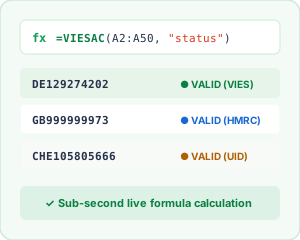
Custom =VIESAC() Formulas
Evaluate status, validity, or country in real-time with lightweight, quota-friendly custom functions.
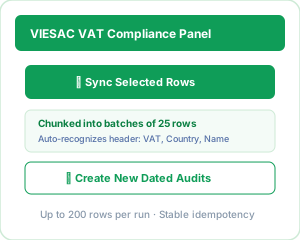
Dedicated Compliance Sidebar
1-click batch synchronization for selected rows, grouped into resilient 25-row batches with progress tracking.
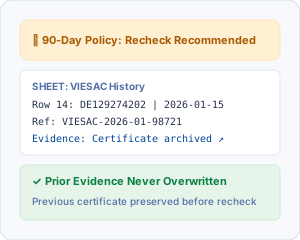
90-Day Policy & History Sheet
Automated recheck notifications that safely archive prior evidence before creating a new audit record.
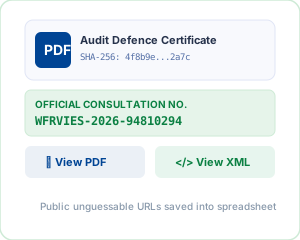
Tamper-Proof Audit Certificates
Public unguessable URLs for SHA-256 sealed PDF and XML audit certificates populated right into your sheet.
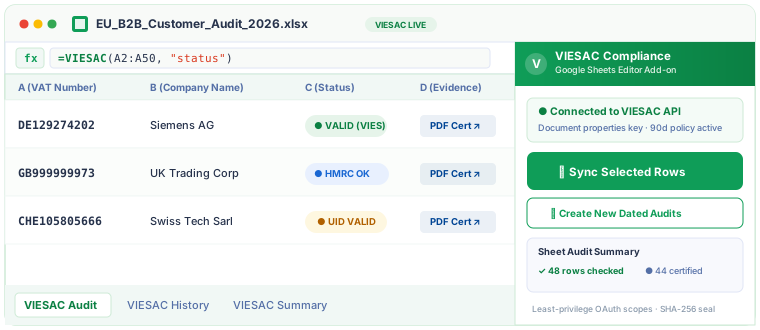
Actual Add-on Screenshots & Working Sheets
Real-time formula calculation, automatic column population, and official audit proof inside Google Sheets.
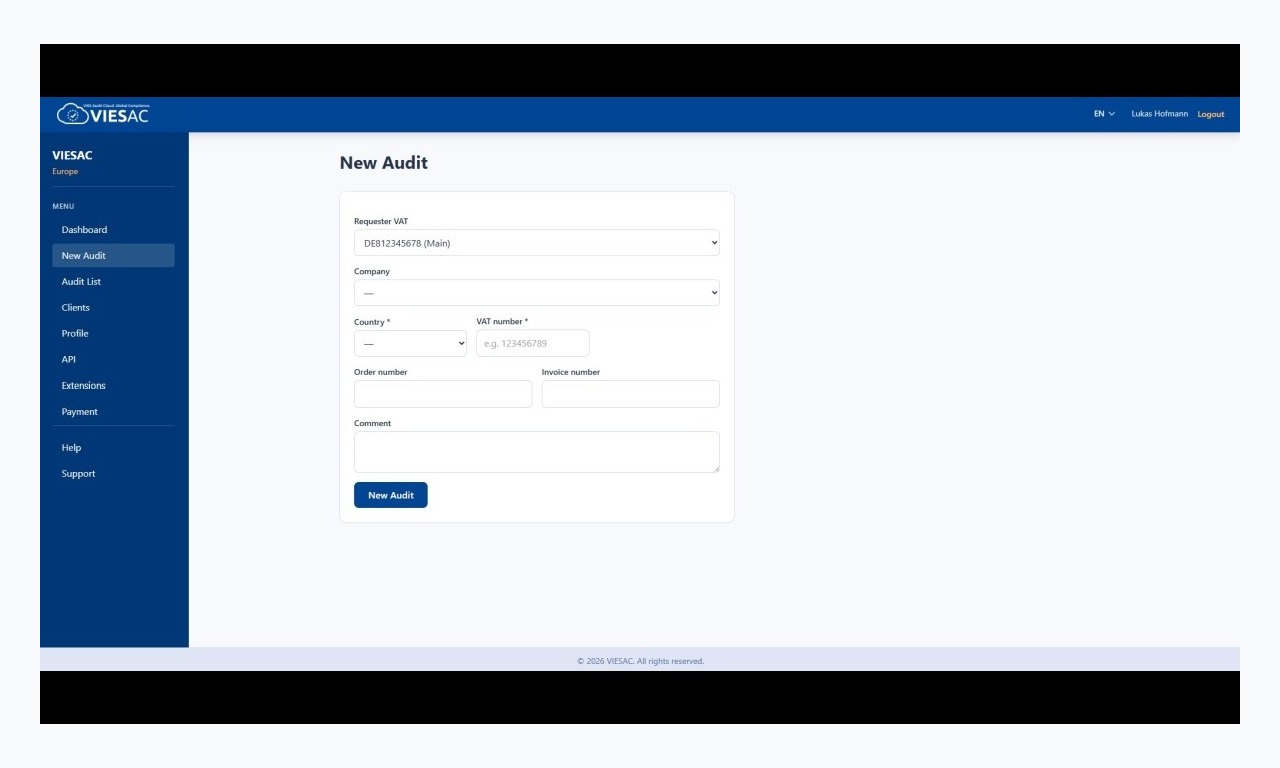
Live Spreadsheet Check
Status evaluation with real-time tax office responses.
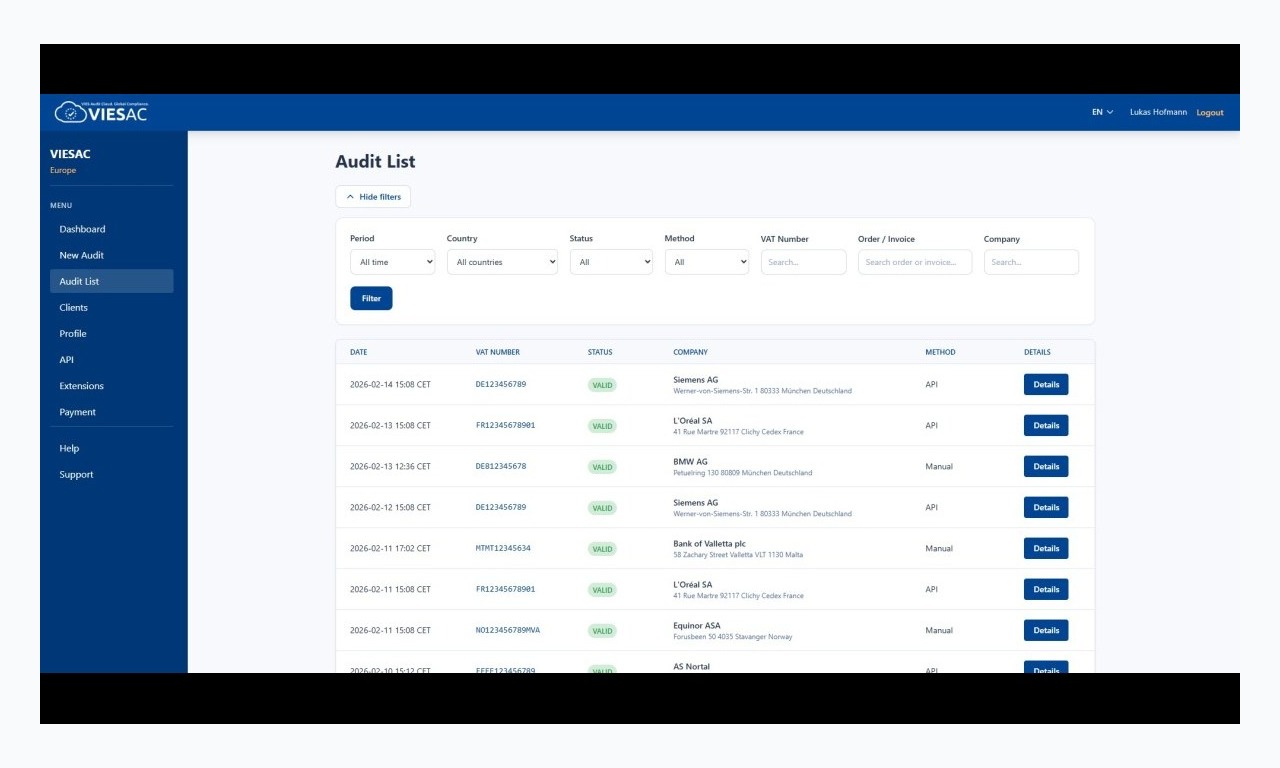
Immutable Compliance Audit Trail
Official references, company metadata, and certificate links.
Всичко за данъчни проверки в таблицата
Eliminate repetitive manual checks on ec.europa.eu, protect your 0% VAT deductions, and keep an airtight compliance paper trail.
Връзка с официални регистри
Direct queries to all 27 EU VIES national databases, UK HMRC, Swiss Federal Statistical Office (UID), and Norway Brreg. Sub-second response times guarantee fast spreadsheet execution.
Леки персонализирани формули
Use =VIESAC(A2:A50, "status") or =VIESAC_RATE("DE", "standard_rate") for on-the-fly verification that never consumes your immutable audit certificate quota.
Пакетни одити
Audit up to 200 selected rows per run. The sidebar automatically groups API requests into batches of 25 to respect Google Apps Script execution timeouts and rate limits.
Референции и сертификати
Every audit creation requests an official tax authority consultation number and generates a cryptographic SHA-256 sealed PDF certificate for tax audit defence.
Проверка след 90 дни и история
Configurable age policy flags rows needing re-verification without overwriting past proof. Old certificate links are automatically preserved in the VIESAC History tab.
Достъп за екипи
API keys are stored strictly in Apps Script Document Properties, never in cell contents. Uses least-privilege Google OAuth scopes limited to the current spreadsheet.
Ръководство за формули в Google Sheets
VIESAC provides two high-performance custom functions built specifically for Google Sheets syntax.
| Синтаксис | Функция | Пример |
|---|---|---|
| =VIESAC(A2:A50, "status") | Returns validation status (VALID, INVALID, NOT_FOUND) for a range of VAT numbers. | VALID |
| =VIESAC(A2:A50, "valid") | Returns a boolean TRUE or FALSE. Perfect for IF() statements and conditional formatting. | TRUE |
| =VIESAC(A2:A50, "source") | Returns the official registry consulted: VIES, HMRC, UID, or BRREG. | VIES (DE) |
| =VIESAC(A2:A50, "checked_at", $Z$1) | Returns the ISO timestamp of the validation. Supports an optional deterministic refresh key cell. | 2026-09-23T10:15:00Z |
| =VIESAC_RATE("DE", "standard_rate") | Looks up the statutory VAT rate for any EU or partner country (standard, reduced, super-reduced). | 19.00% |
Проверете ДДС номер в Google Sheets в 4 стъпки
From blank spreadsheet to fully certified audit trail in less than five minutes.
Отворете добавката
Select Extensions → VIESAC VAT Compliance → Open VIESAC panel to launch the accountant-friendly sidebar.
Свържете VIESAC API ключа
Paste your dedicated API token generated on the VIESAC Portal. Credentials are encrypted in document properties.
Използвайте формули или синхронизирайте редове
Use custom formulas for quick lookups, or highlight your customer/vendor rows and click "Sync Selected Rows" in the sidebar.
Доказателства в таблицата
VIESAC automatically writes the company name, address, consultation number, and direct links to official PDF & XML audit certificates.
Защо масовата проверка на ДДС в Google Sheets помага на финансите
For finance managers, tax accountants, and billing operations, Google Sheets and Excel remain the undisputed nerve centers for managing master customer lists, vendor onboarding, and monthly VAT returns. However, verifying hundreds of cross-border VAT identifiers manually through the European Commission ec.europa.eu portal is notoriously inefficient: it requires solving reCAPTCHAs, typing one identifier at a time, and taking manual screenshots for proof.
Under European tax jurisprudence and national legislation (such as German UStG § 6a or French CGI Art. 262 ter), a business applying 0% VAT on intra-community supplies bears the legal burden of proof. If a foreign B2B buyer's VAT number was deregistered or invalid on the invoice date, tax authorities can retroactively assess the unpaid tax plus severe penalties against the seller during an audit.
The VIESAC Google Sheets Add-on bridges this compliance gap. By bringing direct API connectivity into Google Workspace, finance professionals can perform batch validations across 27 EU member states, the United Kingdom, Switzerland, and Norway in seconds. Unlike generic regex checkers, VIESAC communicates directly with upstream governmental endpoints, obtaining official consultation reference numbers.
Пакетът на ЕС VAT in the Digital Age (ViDA) ще направи трансграничното отчитане на ДДС изцяло цифрово от 2030 г. Одитна история с дата и час в таблиците осигурява откриваеми доказателства за вътрешни прегледи и данъчни проверки.
Често задавани въпроси за проверка на ДДС в Google Sheets
Изразходва ли =VIESAC() кредита за сертификати?
Не. =VIESAC() прави лека проверка и не създава одит. Кредити се използват само при изрично създаване на нов одит от панела.
Сигурен ли е API ключът в споделена таблица?
Ключът не се записва в клетки или формули. Свойствата на документа споделят връзката с потребителите на добавката, затова ползвайте отделен отменим ключ за екип или клиент.
How does the 90-day recheck recommendation work?
European tax auditors expect ongoing verification of active trade partners. When an audit row is older than your configured threshold (default 90 days), the add-on highlights the status as "Recheck recommended". Crucially, re-auditing preserves the previous audit record and certificate URL in the "VIESAC History" sheet so past evidence is never erased.
Кои държави и регистри се поддържат?
Добавката използва VIES за 27-те държави от ЕС, HMRC за Великобритания, Swiss UID и Brønnøysundregistrene за Норвегия.
Подобрете финансовите таблици с VIESAC
Create a free VIESAC account to test the Google Sheets pilot script today, or contact our integration team for enterprise Google Workspace domain deployment.
Need help setting up a custom template for your accounting team? Our compliance engineers respond within 24 hours.